One Copilot, three jobs
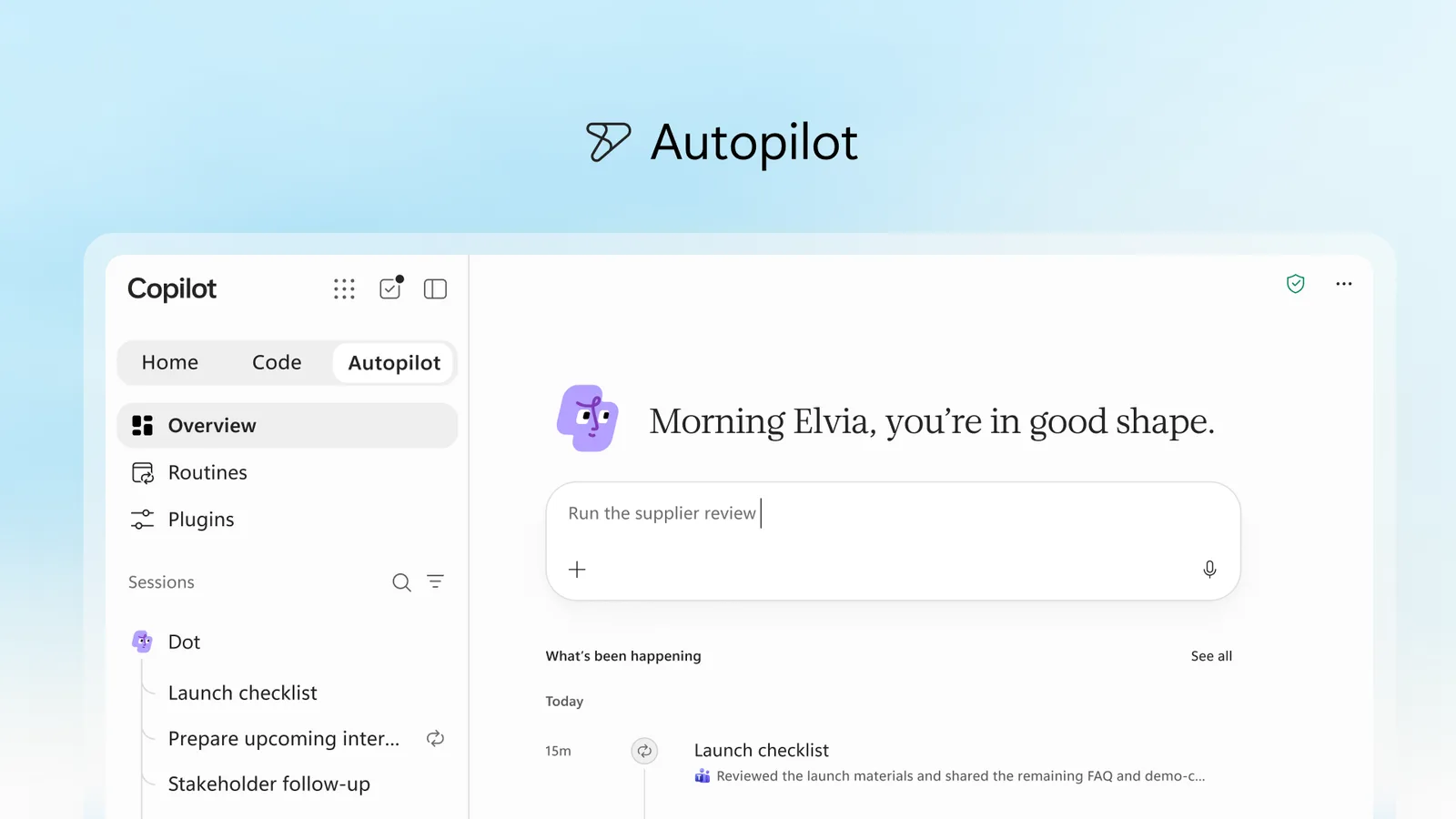
Home brings Chat and Cowork together. Code builds apps hosted in your company’s tenant. Autopilot is the proactive, long-running agent that reports back.
Copilot Scout agent · now Microsoft Autopilot
On 25 September 2026, Microsoft renamed Scout to Autopilot and began rolling it out to its first customers. It is the first Copilot that keeps working when you don’t. In one hands-on session, we show your leadership and digital workplace team where it pays off — and where Chat, Agent Builder or Copilot Studio are the smarter choice.
In 30 seconds
Microsoft Scout — often searched as the Copilot Scout agent — is Microsoft’s personal, always-on AI agent for Microsoft 365. Since 25 September 2026 it is called Microsoft Autopilot and sits next to Home and Code in the new Copilot app. Unlike a chatbot, it remembers your priorities, follows up on threads, runs recurring routines and acts for you in Teams, Outlook and your documents — within the permissions and guardrails your IT team sets. It is built on the open-source agent OpenClaw and is currently in private preview.
What changed on 25 September
Microsoft first showed Scout at Build in June 2026. With the relaunch of Copilot around three tabs — Home, Code and Autopilot — the agent got a new name and its first customers.
“We’re building Copilot as a new OS for work.”Home brings Chat and Cowork together. Code builds apps hosted in your company’s tenant. Autopilot is the proactive, long-running agent that reports back.
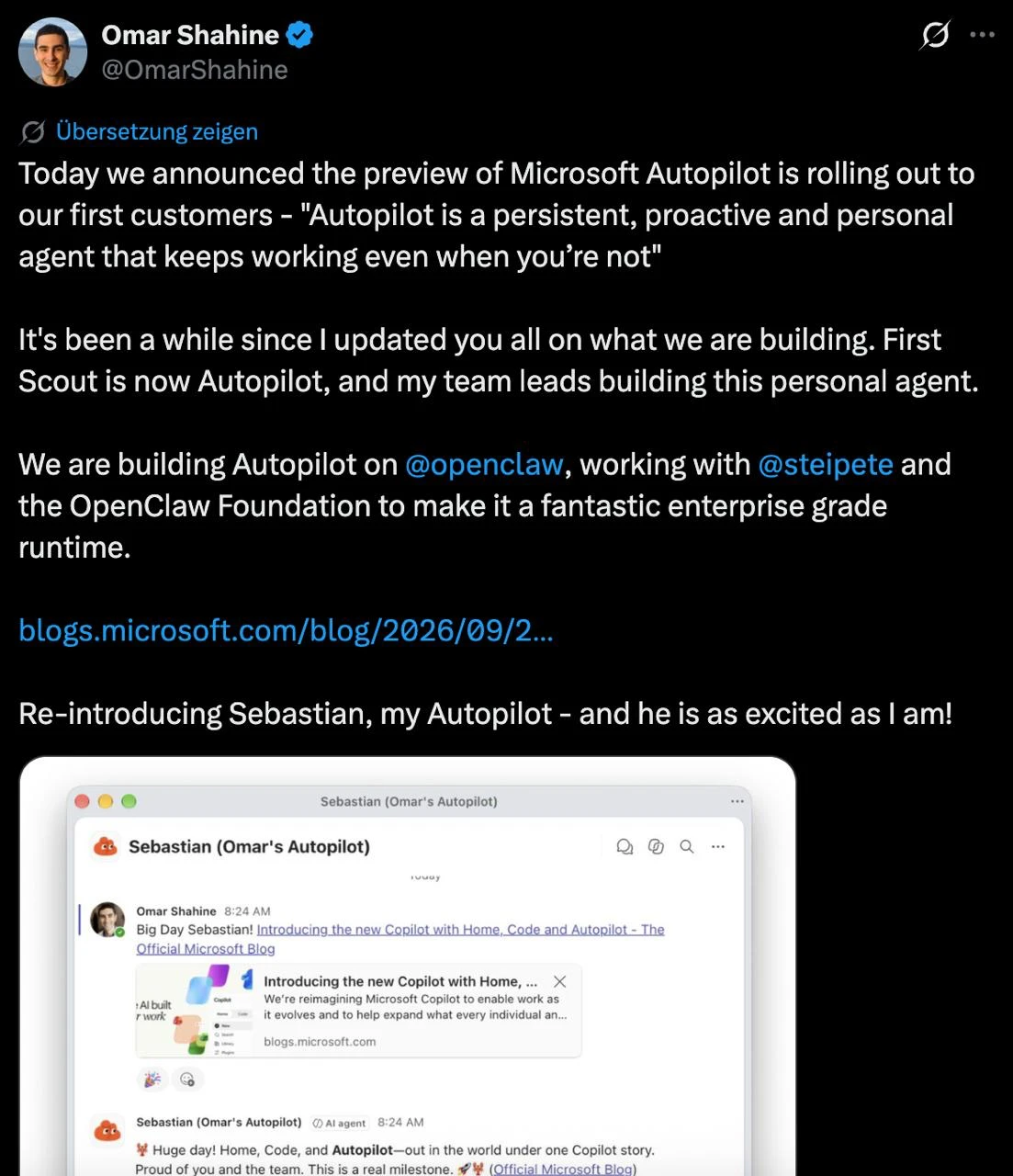
Each Autopilot has a name, a memory and its own identity. You @mention it in Teams or Outlook like a colleague — Omar Shahine, who leads the team at Microsoft, calls his “Sebastian”.
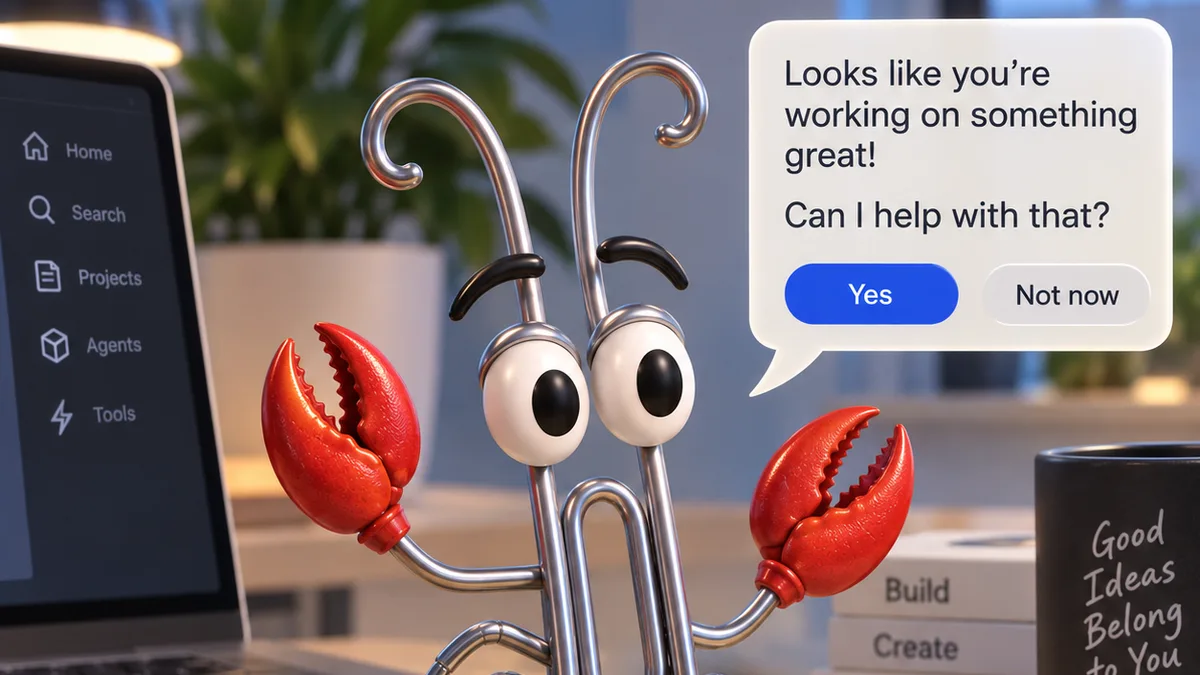
Autopilot runs on OpenClaw. Microsoft works with its creator Peter Steinberger and the OpenClaw Foundation, and contributes security and Windows features back.
“Such a privilege to work with Microsoft to bring claws to enterprises!”The decision matrix
Microsoft Copilot is no longer one product. Picking the right one is the fastest way to get value — and to avoid paying for autonomy you don’t need.
Ask and get an answer
You need an answer or a first draft, right now.
Plain prompting: you ask, it answers. Ideal for summarising, drafting and researching. Nothing happens until someone types.
Reusable assistants
Your team keeps asking the same kind of question.
Package instructions and trusted sources into a template anyone can use — a research assistant for analysts, an onboarding guide for new hires. It reads and answers; it doesn’t change anything in your systems.
Automated workflows
A process should run the same way, every time.
Automate workflows end to end: triggers, approvals and connectors to your business systems, including autonomous writes. Built and governed by makers and IT.
A proactive teammate
You want someone who follows through.
Proactive and personal: it remembers context, sends you reminders, chases follow-ups and runs routines across Teams and Outlook. The most powerful option — and the one that most needs clear guardrails.
| Capability | Copilot Chat | Agent Builder | Copilot Studio | Autopilot (Scout) |
|---|---|---|---|---|
| Starts work without a prompt | NoOnly when asked | NoOnly when asked | PartlyOn triggers you define | YesReminders, follow-ups, routines |
| Reads company knowledge | YesYour work data and files | YesThe sources you choose | YesVia connectors | YesAcross Microsoft 365 |
| Takes action in systems | NoDrafts only | NoRead-only | YesAutonomous writes | YesActs for you, with approvals |
| Remembers you over time | PartlySome preferences | NoSame template for all | NoProcess state, not people | YesPriorities and history |
| Reusable across a team | PartlyShared prompts | YesBuilt to share | YesBuilt to share | NoPersonal by design |
| Who sets it up | Anyone | Any employee, no code | Makers and IT | Each employee, once IT enables it |
| Time to first value | Minutes | An afternoon | Weeks | Days |
| What IT governs | Data access | Sources and sharing | Connectors, lifecycle, data loss prevention | Identity, boundaries, approvals |
| Typical example | Summarise a 40-email thread before a meeting | Market-research template for the strategy team | Invoice intake that books straight into the ERP | Runs the weekly supplier review and chases open items |
Two questions decide the product: who starts the work, and may it change things?
Chat and Agent Builder read and draft when you ask. Copilot Studio acts in systems on triggers you define. Autopilot starts work itself and can act for you — begin with an inform-only pilot.
Pricing
Microsoft has not published a price for Autopilot yet. It has confirmed that Autopilot is billed on usage, in Copilot Credits, on top of the per-user Copilot licence. Everyday Chat and Copilot in the Office apps stay in the licence. These are the prices Microsoft has published so far:
| Item | Price | Source |
|---|---|---|
| Microsoft 365 Copilot licence (Chat and Copilot in Office apps) | $30 per user per month, paid yearly | Microsoft pricing page |
| Copilot Credit, pay-as-you-go | $0.01 per credit | Copilot Credits Guide, Sept 2026 |
| Prepaid Copilot Credit pack | $200 per month for 25,000 credits | Microsoft pricing page |
| Pre-purchase plan (P3), one year | 5% to 20% discount, from 300,000 credits | Copilot Credits Guide, Sept 2026 |
| Autopilot credits per task | Not published yet | Microsoft, 25 Sept 2026 |
Prices in US dollars as published by Microsoft. Local prices vary by region and agreement.
Until Microsoft publishes Autopilot rates, the closest reference is Copilot Cowork, its sibling agent. It is billed on the same four drivers — models, runtime, context and tools. Microsoft’s own planning estimates for Cowork tasks:
Light task
≈ $1–3
100–300 credits
A weekly status update from your calendar and priorities
Medium task
≈ $3–7
300–700 credits
A customer-meeting briefing built from emails, files and sales data
Heavy task
> $7
700+ credits
A leadership report from six months of usage data
Our illustration: one Monday briefing per week is a light task — roughly $4–13 per user per month at pay-as-you-go rates. This is our estimate, not a Microsoft price.
Cost control is built in: admins set budgets for the tenant, groups and individual users in the Microsoft 365 admin center, with alerts before limits are reached.
Note: the earlier Scout desktop preview also required a GitHub Copilot Business or Enterprise licence ($19 or $39 per user per month). Microsoft has not said whether this applies to Autopilot — confirm with your account team.
Microsoft Scout review
Autopilot is in private preview, so there are no independent customer reviews yet. Here is what hands-on testers of the earlier Scout preview and Microsoft’s own teams report.
“That is the same thing that makes them absolutely terrifying to an IT admin.”The most promising Copilot yet for leaders buried in coordination. Pilot it inform-only first, with a budget cap and a clear owner, and add actions once the results earn trust.
What it looks like in practice
Monday, 8:00
A briefing is waiting in Teams: three decisions due this week, one project that has stalled, and the meetings you can skip.
Tuesday
It runs the supplier review: collects the numbers, flags two contracts up for renewal and drafts the questions for procurement.
Wednesday
It notices a customer thread went quiet and asks whether to send the follow-up it has already drafted.
Friday
It checks the launch checklist, nudges the owners of the two open items and writes the status update for leadership.
Examples inspired by Microsoft’s own demos. Anything sensitive needs your approval first.
Copilot Scout guide
Four steps from announcement to a first routine that works — without surprising your IT team.
Autopilot is in private preview. Ask your Microsoft account team whether your tenant can join, and which licences it requires.
Choose five to ten people with coordination-heavy roles. With IT, agree what the agent may do alone and what always needs approval.
Open the Autopilot tab in the Copilot app, name your agent and describe one recurring outcome, such as a weekly status update.
Begin with briefings and reminders. Once people trust the results, allow follow-ups, scheduling and updates in your tools.
For leadership and digital workplace teams
Start with roles drowning in coordination — chiefs of staff, project leads, procurement, sales managers. Not everyone at once.
Agree the boundaries: what it may send, book or change on its own, and what always needs a human yes.
Each Autopilot has its own identity in your tenant, with permissions, audit and admin oversight. Bring IT, security, data protection and the works council in early.
Billing is usage-based. Tie every pilot to hours saved or faster cycles, so the business case writes itself.
The workshop
Hands-on, in plain language and built around your organisation, like all our AI workshops in Berlin. No slide marathon — your people work on their own tasks.
2 hours
What Autopilot changes, the decision matrix applied to your organisation, risks, and the decisions you need to take.
Half or full day
Each participant maps their recurring work, sorts it across Chat, Agent Builder, Studio and Autopilot, and builds the first templates and routines.
No preview access yet? We design your Autopilot routines in Copilot Chat and Agent Builder, so you are ready on day one.
In person in Berlin or at your offices, in English or German. New to AI? Start with an LLM workshop for your team.
FAQ
Yes. Microsoft introduced the agent as Scout in June 2026 and renamed it Autopilot on 25 September 2026, when it became part of the new Copilot app next to Home and Code.
On OpenClaw, the open-source personal agent created by Peter Steinberger. Microsoft works with him and the OpenClaw Foundation to make it an enterprise-grade runtime, and contributes features back to the open-source project.
Autopilot entered private preview at the end of September 2026 and is rolling out to Microsoft’s first customers. Microsoft has not announced a date for general availability. Your Microsoft account team can tell you about preview access.
Microsoft has not published an Autopilot price. It is billed on usage in Copilot Credits ($0.01 each at pay-as-you-go, or $200 per month for a 25,000-credit pack), on top of the Microsoft 365 Copilot licence at $30 per user per month. Microsoft’s planning estimates for the sibling agent Cowork are about $1–3 for a light task and $3–7 for a medium one.
No. The licence covers everyday AI such as Copilot Chat and Copilot in Word, Excel, Outlook and Teams. Autopilot, Cowork and Code are billed separately on usage through Copilot Credits.
Not independent customer reviews — Autopilot only entered private preview in September 2026. Hands-on reports from the earlier Scout preview praise its follow-through and real task execution, and flag setup effort, data flows, login-protected websites and cost predictability.
It runs inside your Microsoft 365 tenant with its own identity, and it is covered by your permissions, audit and governance controls. Users set its goals and boundaries, admins keep oversight, and sensitive actions require human approval.
Yes. Copilot Studio is for shared, repeatable business processes that should run the same way every time. Autopilot is a personal agent for each employee. Most organisations will use both.
Agent Builder packages instructions and sources into a reusable assistant that answers when asked and does not change anything in your systems. Autopilot works proactively and can take action for you.
Leadership, digital workplace and IT teams, adoption and change managers, and the people whose week is full of coordination. We recommend including security, data protection and the works council from the start.
Yes. We run every workshop in English or German, in Berlin or at your offices.
Let’s get you ready
Tell us about your team and your Copilot licences. We’ll suggest the right format and agenda.
Build & Rave is independent and not affiliated with Microsoft or OpenClaw. Product names belong to their owners.